Schema Generation and Markup for SEO: The 2026 Practitioner Guide + 12 Tools for Generating JSON-LD at Scale
The complete 2026 guide to schema markup for SEO, AEO, and GEO. Schema types that matter, JSON-LD at programmatic scale, 12 tools compared (Schema App to free generators), and how structured data helps AI citation rates.
By Invention Novelty · April 29, 2026
- 1Schema markup adoption is still ~17% of the web. 83% of competitors are leaving rich results, AI Overview prominence, and citation-readiness improvements on the table.
- 2The schema types that matter most for AI citations: FAQPage (AI engines parse Q&A directly), Article (establishes content context), and Organization (ties brand to content). HowTo is underused and highly effective for procedural content.
- 3Schema generation at 10,000+ pages requires generating JSON-LD as part of the build pipeline, not bolted on afterward. Schema drift is one of the top pSEO failure modes.
- 4MCP-native schema generation: an AI agent generates, validates, and deploys JSON-LD as a tool call when writing new content. This closes the schema gap teams consistently deprioritize.
TL;DR Comparison: 12 Schema Generation and Markup Tools
What Schema Markup Actually Does in 2026
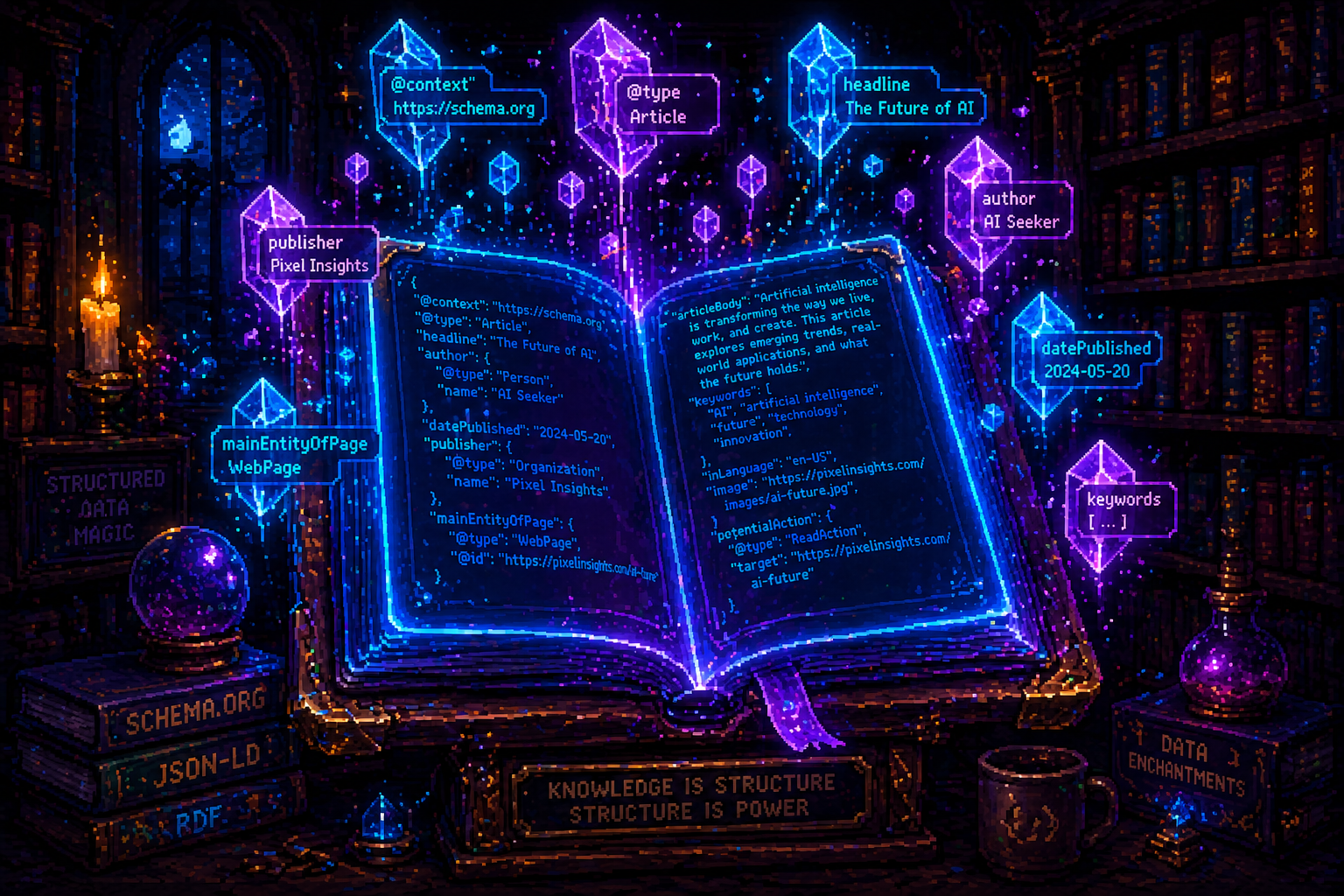
Schema markup, implemented using the Schema.org vocabulary as JSON-LD, is a structured data layer that tells search engines and AI systems what your page content is about - not by inference from your text, but by explicit machine-readable declaration. The distinction matters: Google can usually infer that a page about "making pasta" is a recipe, but it can extract the specific cooking time, servings, and ingredient list far more reliably from a Recipe schema than from parsing prose.
Schema.org, the jointly-developed vocabulary maintained by Google, Microsoft, Yahoo, and Yandex, documents over 900 types and thousands of properties covering everything from product listings to medical conditions to software applications. The vocabulary is comprehensive to the point of being intimidating - but the practically important subset for most sites is 8-12 types.
The Adoption Gap
Schema markup adoption across the web remains at approximately 17% as of 2026. This is a more-than-a-decade-old technology that most websites still haven't implemented. The reasons are structural: adding schema requires technical knowledge (or a plugin), regular maintenance (schema drifts as content changes), and is invisible to website visitors - it only affects how machines interpret the page. This combination - technical overhead, invisible output, no user-facing feedback - makes schema consistently underprioritized.
The 83% of the web without schema markup is leaving specific, measurable value on the table: rich results (star ratings, FAQs, product pricing, breadcrumb navigation in the SERP), higher click-through rates from those rich results (typically 20-30% higher CTR for FAQ rich results vs standard blue link), AI Overview eligibility signals, and entity disambiguation in Google's Knowledge Graph.
Schema as a Ranking Factor - and Why It's More Than That
Schema markup is not a direct ranking factor. Adding FAQPage schema to a page doesn't make it rank higher in Google's organic results. This is an important distinction that some schema tool vendors blur. What schema markup does:
Rich results eligibility. Pages with valid, complete schema become eligible for rich result formats - FAQ accordions, star ratings, product pricing, HowTo steps, breadcrumb navigation - that take more SERP real estate, improve visual differentiation, and drive higher CTR.
AI Overview citation signals. Google's AI Overview system uses structured data as one of many signals for source selection. A page with valid FAQPage schema and complete Q&A content is structurally cleaner for AI extraction systems than an equivalent page with unstructured text. This is a meaningful difference in AI Overview eligibility.
Knowledge Graph entity association. Organization schema, Person schema, and their connections (sameAs properties linking to Wikidata, Wikipedia, and social profiles) help Google build a more complete entity model for your brand. This improves brand entity disambiguation - ensuring that Google's Knowledge Graph correctly associates your content with your organization - which influences both brand-name search results and entity-based ranking signals.
Crawl efficiency. Structured data makes pages faster to parse and understand for crawlers. At scale, pages with clear structured data consume less of Googlebot's rendering and analysis resources, which can modestly improve crawl efficiency.
How LLMs and AI Engines Use Structured Pages
LLMs don't parse Schema.org JSON-LD the way search crawlers do - the structured data isn't directly fed into the model's training context. But the pipeline between "a page exists" and "an AI engine cites it" is more complex than direct ingestion.
Retrieval-augmented generation (RAG) systems - which power most AI search engines' ability to cite current, factual web sources - use indexed content from search engines' crawl infrastructure. Pages that are well-structured, clearly organized, and richly annotated with structured data are indexed more efficiently, have their content extracted more accurately, and are more likely to surface in retrieval queries for relevant topics.
FAQPage schema is the most directly actionable for AI engine citation: the explicit Q&A structure created by FAQPage markup is exactly the structure AI extraction systems prefer - a question followed by a complete, bounded answer. Pages where this structure is communicated both in the prose and in the FAQPage schema are substantially more parseable for AI extraction than pages where the Q&A structure exists only in prose with no machine-readable annotation.
The practical implication: implement schema not because AI engines are reading the JSON-LD directly, but because the practices that produce good schema - clear content structure, bounded answer paragraphs, explicit entity annotation - are the same practices that make pages machine-readable for AI retrieval.
The Schema Types That Matter Most
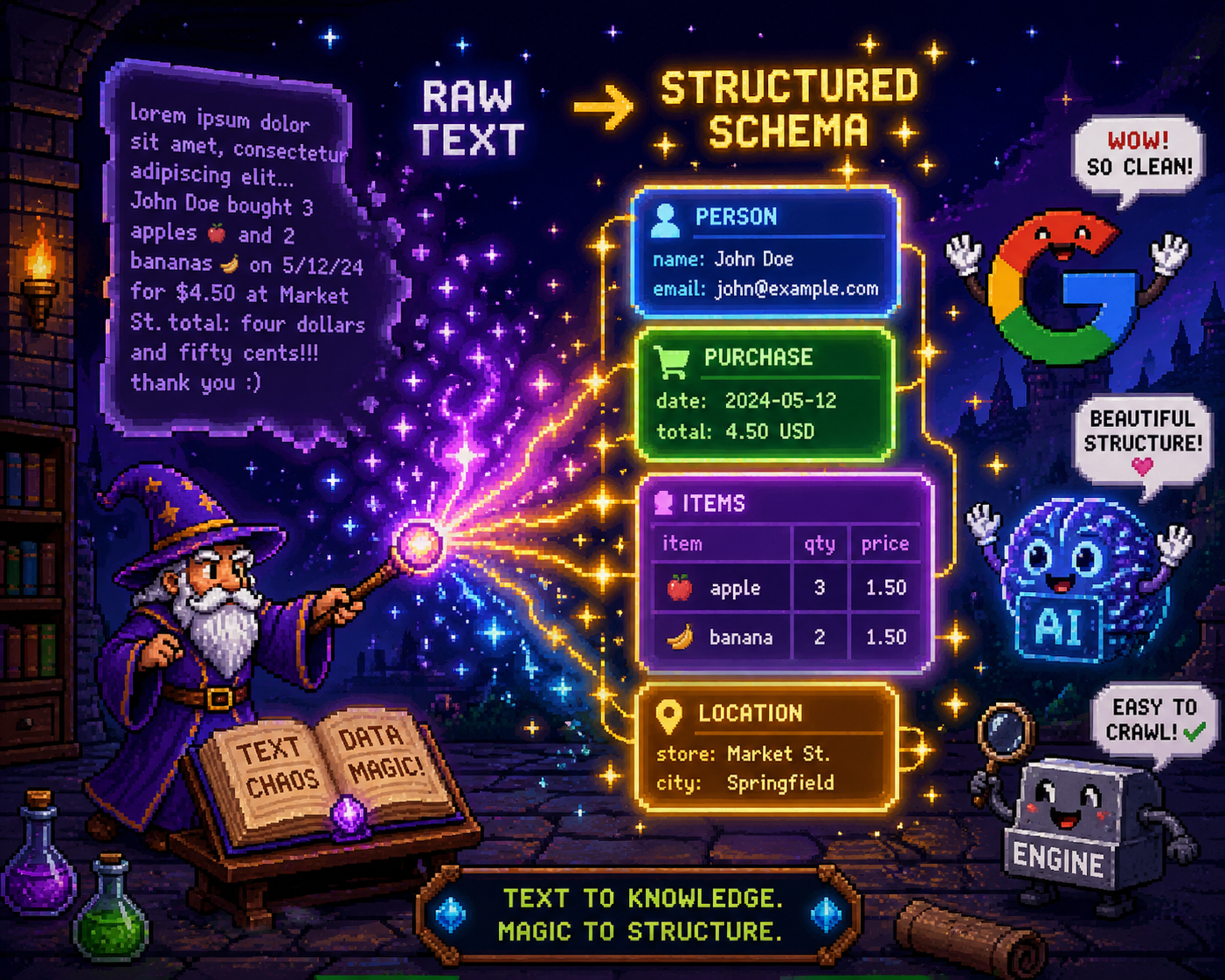
Article and BlogPosting
What it does. Article and its sub-type BlogPosting establish content context: this is editorial content, published on a date, authored by a person or organization, on a specific subject. The key properties are headline, description, author (a Person entity), datePublished, dateModified, publisher (an Organization entity), and image.
When to use it. On all editorial content pages: blog posts, news articles, long-form guides, how-to articles. Use Article for general editorial content; use BlogPosting specifically for blog posts; use NewsArticle for news content.
Common mistakes. Omitting author - this is the most consistently missing property on Article schema across the web, and it's one of the most important signals for E-E-A-T and AI Overview eligibility. Omitting dateModified on updated content - freshness signals matter. Using the same datePublished for the same template across all programmatic pages (schema drift from template errors).
AEO impact. Significant. Article schema with a complete author Person entity is one of the clearest E-E-A-T signals Google's AI systems can read from structured data. Pages with author schema consistently outperform equivalent pages without it in AI Overview inclusion rates for informational content.
FAQPage
What it does. FAQPage markup explicitly identifies a list of questions and answers on a page, using mainEntity with an array of Question objects, each containing acceptedAnswer with a text answer. This is the most directly AI-extractable schema type - the question-and-answer structure is exactly what AI engines want to surface.
When to use it. On any page that contains Q&A content: FAQ sections, help articles, product pages with frequently asked questions, how-to guides with Q&A structure. Should not be used if the page doesn't actually contain Q&A content (schema manipulation for schema's sake fails Rich Results Test).
Common mistakes. Using FAQPage markup on pages where the "questions" are section headings rather than genuine question-and-answer pairs. Answers that are too short (under 20 words) or that reference information not present on the page. Including FAQPage schema without actually marking up all the Q&A content on the page.
AEO impact. The highest AEO impact of any schema type. Google's AI Overview system directly extracts FAQPage markup for Featured Snippet and AI Overview responses. FAQPage-marked pages appear in FAQ rich results in standard SERPs, improving CTR, and are preferentially extracted by AI engines for question-intent queries.
HowTo
What it does. HowTo markup describes step-by-step processes, using step properties with name and text for each step, plus optional image, tool, and supply for procedures that use them. Google can render HowTo markup in rich results with step-by-step navigation.
When to use it. On any page describing a multi-step process: installation guides, cooking recipes (though Recipe schema is more specific), DIY instructions, software setup documentation, troubleshooting guides.
Common mistakes. Using HowTo schema on content that's a general guide rather than a procedural process (the steps must be specific, ordered actions - not general advice sections). Missing name properties on individual steps.
AEO impact. High and underutilized. HowTo schema is one of the most consistently underimplemented schema types relative to its impact - most sites have significant procedural content that would benefit from HowTo markup. AI engines specifically favor procedural content for how-to queries, and HowTo schema communicates that structure clearly.
Product, Offer, and Review
What it does. Product schema marks up product information (name, description, image, brand, SKU). Offer (typically nested in Product) marks up pricing, availability, and seller information. Review marks up user or editorial reviews. Together, these unlock product rich results (price, availability, review stars) in the SERP.
When to use it. On e-commerce product pages. On review content (both individual product reviews and editorial review articles). Review schema on non-review content is a policy violation and can result in manual penalties.
Common mistakes. Missing priceCurrency in Offer (required). Outdated availability status (a common schema drift problem - the product schema says "InStock" after a product is discontinued). Attempting to markup aggregated review scores without actual review content on the page.
AEO impact. Moderate for product content. Product schema primarily influences e-commerce rich results rather than AI Overview citations, though AI engines use product schema to identify product-focused content for shopping queries.
Organization and LocalBusiness
What it does. Organization schema establishes the brand entity context for the entire site: name, URL, logo, contact information, social profiles, and sameAs links to authoritative external references (Wikidata, Wikipedia, LinkedIn, Crunchbase). LocalBusiness extends Organization with location-specific information for businesses with physical presence.
When to use it. Organization schema should be on the homepage (at minimum) and ideally site-wide via a persistent <script> block. LocalBusiness is appropriate for any business with a physical address and service area.
Common mistakes. Missing sameAs properties - these are the most impactful properties in Organization schema for entity disambiguation and Knowledge Graph association. Omitting logo (important for Knowledge Panel display). Incorrect or outdated contact information (schema drift).
AEO impact. Very high for brand authority. Organization schema with complete sameAs links is the primary way you communicate your brand entity to Google's Knowledge Graph. Stronger Knowledge Graph entity association leads to more reliable brand entity attribution in AI-generated content about your brand's space.
Event
What it does. Event schema marks up event information: name, startDate, endDate, location, organizer, offers (for ticketed events), eventAttendanceMode. Google renders Event rich results in both SERP and Google Events.
When to use it. On event listing pages, individual event pages, and community/calendar pages. For online events, use eventAttendanceMode: OnlineEventAttendanceMode and appropriate location markup.
Common mistakes. Outdated events in schema (past events with future dates in markup - happens when templates don't properly update date fields). Missing location for in-person events.
AEO impact. Moderate - primarily influences event discovery queries rather than general AI Overview citation.
SoftwareApplication
What it does. SoftwareApplication schema marks up software product information: name, operating system, category, offers (pricing), and aggregateRating. Useful for app download pages, SaaS product pages, and software review content.
When to use it. On product pages for software products, app store landing pages, and software review articles.
Common mistakes. Using SoftwareApplication schema on blog posts about software (the schema should be on actual product pages with accurate pricing and rating data).
AEO impact. Moderate. SoftwareApplication schema helps AI engines correctly categorize software products and can improve appearance in AI-generated software recommendation responses.
VideoObject
What it does. VideoObject schema marks up video content: name, description, thumbnailUrl, uploadDate, duration, contentUrl. Google uses VideoObject to display video rich results with thumbnails and duration in the SERP.
When to use it. On any page with significant embedded video content. Particularly important for video-first content where the video is the primary content of the page.
Common mistakes. Missing thumbnailUrl (required for rich results). Incorrect duration format (must be ISO 8601 duration format: PT15M30S for 15 minutes and 30 seconds). Using VideoObject on pages that embed video as supplementary content rather than as the primary subject.
AEO impact. Moderate. VideoObject primarily influences video search results and video carousels rather than text-based AI Overview citations.
BreadcrumbList
What it does. BreadcrumbList markup communicates the site's navigational hierarchy for a page - the path from homepage to current page. Google renders breadcrumb navigation in the SERP, replacing the full URL with a readable path.
When to use it. On all pages with a defined navigational hierarchy. Particularly important for e-commerce category → subcategory → product paths and blog category → post paths.
Common mistakes. Breadcrumb items that don't match the actual navigational structure of the site. Missing @id values on ListItem elements.
AEO impact. Low direct AEO impact but high SERP appearance impact. BreadcrumbList schema is one of the quickest schema wins for click-through rate improvement on structured sites.
Person
What it does. Person schema identifies a named individual: name, jobTitle, affiliation (an Organization), image, url, sameAs (links to authoritative external profiles). Used for author attribution on content and for establishing individual entity identity.
When to use it. On author profile pages. As the author value in Article schema. As the subject of a bio or profile page.
Common mistakes. Person schema without sameAs links (the entity disambiguation value is minimal without external references). Using Person schema for an author who has no external web presence (reduces Knowledge Graph association quality).
AEO impact. High for E-E-A-T. Person schema with sameAs links to LinkedIn, Twitter, Wikipedia (where applicable), and domain authority sites is the clearest E-E-A-T signal that AI Overview selection systems can read. Content authored by well-defined Person entities is more consistently included in AI Overviews for E-E-A-T-sensitive query types.
JSON-LD vs Microdata vs RDFa: Why JSON-LD Wins in 2026
Three structured data formats are technically valid for Schema.org markup: JSON-LD, Microdata, and RDFa. Google officially supports all three. In practice, JSON-LD has become the clear standard, and understanding why helps explain the schema tooling landscape.
JSON-LD (JavaScript Object Notation for Linked Data) is a <script type="application/ld+json"> block placed in the <head> or <body> of your HTML, containing all structured data as a separate, self-contained JSON object. It's decoupled from your HTML - changing the schema doesn't require touching the page content, and changing the page content doesn't affect the schema. Google recommends JSON-LD explicitly.
Microdata embeds schema markup inline within your HTML using itemscope, itemtype, and itemprop attributes directly in the content HTML. Every marked-up property requires an attribute on the corresponding HTML element. This tightly couples your schema to your HTML structure - refactoring either requires updating both. It's also significantly more verbose.
RDFa is similar to Microdata in its inline-embedding approach, using typeof, property, and resource attributes. It supports more complex linked data relationships but is even more complex to implement than Microdata.
JSON-LD won for the reasons it should have: separation of concerns, maintainability at scale, lower error rate, and Google's explicit recommendation. At 10,000+ pages, the maintainability difference is enormous - updating an Organization schema property across the entire site is a one-line code change in a JSON-LD template, versus an attribute-level change across potentially thousands of HTML elements in Microdata.
The only legitimate reason to use Microdata in 2026 is if you're maintaining an existing Microdata implementation and the migration cost to JSON-LD is prohibitive. For new implementations, use JSON-LD exclusively.
How to Evaluate Schema Generation Tools
Schema types supported. Does the tool support the types your site needs? Most tools cover the common 8-12 types (Article, FAQPage, Product, Organization, LocalBusiness, Event, HowTo, Review, BreadcrumbList, Person, VideoObject, SoftwareApplication). Tools with broader Schema.org vocabulary coverage (Schema App, Schemantra) matter for niche or complex use cases.
Output format. All serious schema tools output JSON-LD. Microdata output is a flag that the tool hasn't been updated in years. Verify the output is valid JSON with correct Schema.org context and type declarations.
Scale: single page, bulk, or pipeline API. Can the tool generate schema for a single page interactively (for manual implementation), bulk-generate for many pages from structured data, or generate via API as part of a build pipeline? The right answer depends on your site architecture and update frequency.
Built-in validation. Does the tool validate its own output against Schema.org requirements before delivering it? The minimum bar is JSON syntax validation; better tools validate required properties and value formats for each schema type. The gold standard is generating output that passes the Google Rich Results Test without manual correction.
CMS integration. Does the tool integrate directly with your CMS (WordPress, Shopify, custom CMS via webhook)? Manual copy-paste implementation breaks down at scale. CMS plugins that auto-generate schema from post metadata are substantially more maintainable than manually authored JSON-LD.
MCP/API access. Can an AI agent call the tool to generate schema as part of a content creation workflow? MCP server availability is the forward-looking standard; REST API is the current baseline for programmatic access.
Pricing model. Per-page, subscription, or one-time. For single-page tools, free is the standard. For CMS plugins, $50-$150/year is standard. For enterprise API-based deployment, $100+/month.
The 12 Best Schema Generation and Markup Tools
1. Invention Novelty
Company background. Invention Novelty's schema generation is embedded in the content writing pipeline - schema is generated as part of content creation, not as a post-hoc bolted-on step. The system detects schema-eligible content types in each draft (Q&A content triggers FAQPage schema, procedure content triggers HowTo schema, all editorial content gets Article schema) and generates complete, validated JSON-LD automatically.
Schema types supported. Article/BlogPosting, FAQPage, HowTo, BreadcrumbList, Organization. The focused type list reflects the types with the highest SEO and AEO impact for content-focused sites.
Output format. JSON-LD. Output is validated against Schema.org and checked against Google's required property list for each type before delivery.
Scale. Bulk pipeline: schema is generated per-page as part of the content generation workflow. For pSEO programs generating thousands of pages, schema is generated, validated, and deployed at the same time as the content itself - not added later.
Validation. Built-in Schema.org property validation plus AEO-specific checks: confirms that FAQPage Q&A pairs have both question and acceptedAnswer, that Article schema includes author Person entity with appropriate properties, and that Organization schema is linked to the domain's entity profile.
CMS integration. Webhook deployment to configured CMS endpoints. The generated JSON-LD is deployed alongside the content draft.
MCP/API. generate_schema(content) and validate_schema(schema) available as MCP tools. REST API for custom integrations.
Pricing. Bundled with content generation; schema generation is not separately priced.
Best for. Teams who want schema generated automatically as part of content creation, with no separate schema step.
What it does well. The content-integrated generation model is the right approach for schema at scale - schema that's generated when content is created will never drift. The AEO-specific validation checks are unique in this evaluation.
Where it falls short. Limited to content-oriented schema types; not appropriate for complex e-commerce Product/Offer/Review schema or event management schema. No GUI for manual schema authoring.
Verdict. The best schema generation option for content teams operating at scale who don't want to manage schema as a separate workflow.
2. Schema App
Company background. Schema App is a purpose-built Schema.org deployment platform founded in 2014 and based in Canada. It's built on a full-vocabulary schema editor that supports all Schema.org types (900+), an enterprise deployment API, and a schema monitoring system that detects drift over time. Schema App is the most specialized schema tool in this evaluation - it does nothing but schema, extremely well.
Schema types supported. All Schema.org types, including niche and advanced types (MedicalCondition, LegalService, FinancialProduct, ChemicalSubstance, etc.). The most comprehensive vocabulary coverage in the evaluation.
Output format. JSON-LD. The editor outputs well-formed, valid JSON-LD with correct context and type declarations.
Scale. Bulk and API. Schema App's connected editor allows generating schema templates that deploy across hundreds or thousands of pages via CMS integration or API. The Schema App API supports automated schema deployment as part of build pipelines.
Validation. Built-in Schema.org validation with required property checking and Google Rich Results Test compatibility verification.
CMS integration. Native WordPress plugin, Shopify integration, and API-based integration for custom CMS platforms. Enterprise deployment typically uses the API.
MCP/API. REST API with good documentation. Schema App's API is the primary deployment mechanism for enterprise integrations. No MCP server.
Pricing. Plans from $99/month. Enterprise custom pricing for large-volume API deployment.
Best for. Enterprise and mid-market sites that need full Schema.org vocabulary coverage with managed deployment at scale - especially e-commerce, healthcare, financial services, or any domain with specialized schema types.
What it does well. The most comprehensive schema vocabulary support in the evaluation. The enterprise deployment API is mature and well-documented. Schema monitoring and drift detection is a differentiating feature - Schema App alerts when deployed schema becomes out of sync with the content it describes.
Where it falls short. The full Schema.org vocabulary is genuinely complex - Schema App requires real schema knowledge to use effectively. Pricing is enterprise-oriented. No MCP server.
Verdict. The right tool when you need comprehensive vocabulary coverage, enterprise deployment, and schema monitoring. The specialized tool for specialized schema needs.
3. InLinks
Company background. InLinks is a UK-based entity SEO platform founded in 2018 with a distinctive philosophy: SEO should be grounded in entity relationships, not keyword targeting. Its schema generation is informed by this entity-first approach - schema types and properties are recommended based on the entity model InLinks builds for your content, not just content-type detection.
Schema types supported. 15 types including Article, FAQPage, HowTo, Organization, Person, Product, LocalBusiness, Event, Video, Review, BreadcrumbList, Course, JobPosting, SoftwareApplication, Recipe. Entity-informed recommendations determine which type and properties are most appropriate for each page.
Output format. JSON-LD.
Scale. Single page and bulk via InLinks' WordPress integration and API.
Validation. Built-in validation with Google Rich Results Test compatibility checking.
CMS integration. WordPress plugin. API-based integration for other platforms.
MCP/API. Limited API. Primarily a platform tool rather than a programmatic integration point.
Pricing. Plans from $49/month.
Best for. Teams using InLinks for entity SEO who want schema generation integrated with their entity model.
What it does well. The entity-informed schema recommendation is genuinely differentiated - InLinks' understanding of your content's entity relationships produces schema recommendations that are more semantically precise than pure content-type detection. The combination of entity optimization and schema generation in a single platform is unique.
Where it falls short. InLinks is a specialized platform; the value is highest for users already using InLinks for entity SEO. Schema generation as a standalone feature isn't competitive with Schema App on vocabulary depth.
Verdict. Right for entity SEO practitioners who want schema generation integrated with their entity optimization workflow.
4. technicalseo.com Schema Generator
Company background. The technicalseo.com free schema markup generator is a community resource maintained by the technical SEO community. It's not a company product in the traditional sense - it's a purpose-built free tool that covers the most commonly needed schema types with a clean, functional interface and no account requirement.
Schema types supported. 12 types: Article, BlogPosting, BreadcrumbList, Event, FAQPage, HowTo, JobPosting, LocalBusiness, Organization, Person, Product, Review. Covers the majority of use cases for editorial and local business sites.
Output format. JSON-LD.
Scale. Single page only. No bulk generation, no API, no CMS integration.
Validation. Output is syntactically valid JSON-LD; the tool doesn't validate required properties or value formats against Schema.org. Users should paste the output into the Google Rich Results Test for validation.
CMS integration. None.
MCP/API. None.
Pricing. Free.
Best for. Individual pages, one-off schema generation, quick testing and learning.
What it does well. The most comprehensive free single-page generator in the evaluation. The interface is clean, the field labels are clear, and the output is correct JSON-LD. For generating schema for a single page without any tool investment, this is the standard.
Where it falls short. Single-page only. No validation. No CMS integration. Not a production schema generation tool for sites with more than a handful of pages.
Verdict. Essential bookmark for any technical SEO. The go-to free option for one-off schema generation.
5. Schemantra
Company background. Schemantra is a specialized schema generation tool built around the full Schema.org ontology - 1,400+ types rather than the common 12-20 types most tools support. It's designed for users who need to implement uncommon or domain-specific schema types that standard generators don't cover.
Schema types supported. 1,400+ types covering the full Schema.org vocabulary including highly specialized types: MedicalCondition, Drug, MedicalProcedure, LegalService, TechArticle, ScholarlyArticle, ThesisAction, and hundreds of others.
Output format. JSON-LD and RDFa. One of the few tools offering RDFa output for projects with existing RDFa implementations.
Scale. Single page only. No bulk generation or API.
Validation. Output only - no required property validation. Syntax is valid JSON-LD/RDFa.
CMS integration. None.
MCP/API. None.
Pricing. Free.
Best for. Technical SEOs and developers who need to implement uncommon schema types not covered by standard generators.
What it does well. The breadth of schema type coverage is unmatched among free tools. If you need to implement SpecialAnnouncement, GovernmentOrganization, HealthClinic, or hundreds of other niche types, Schemantra is the only free option that covers them.
Where it falls short. Single-page only. No validation beyond syntax. No CMS integration. The full Schema.org vocabulary is complex; generating schema for niche types still requires understanding of the type's required and recommended properties.
Verdict. The specialist's tool when standard generators don't cover your schema type. Essential for healthcare, legal, government, and academic sites with domain-specific schema needs.
6. Schema Pro
Company background. Schema Pro is a WordPress plugin developed by Brainstorm Force (the team behind Astra theme and CartFlows). It provides automated schema generation for WordPress sites, pulling structured data from WordPress post meta and plugin data automatically.
Schema types supported. 17 types: Article, BlogPosting, Book, Course, Event, FAQPage, HowTo, JobPosting, LocalBusiness, Movie, Organization, Person, Product, Recipe, Review, Service, SoftwareApplication.
Output format. JSON-LD, automatically injected into the page <head>.
Scale. Bulk WordPress - schema is automatically generated for all posts and pages matching configured post types. No external API.
Validation. Basic built-in validation; outputs are generally Google Rich Results Test compatible.
CMS integration. WordPress only (native plugin).
MCP/API. None.
Pricing. $79/year (single site) to $249/year (agency/unlimited sites).
Best for. WordPress sites with multiple schema types needed beyond what Yoast or Rank Math provides in their schema implementations.
What it does well. Broader type coverage than Yoast SEO's default schema implementation. The automated WordPress meta integration - pulling recipe time from a recipe plugin, event dates from an events plugin - reduces the manual data entry burden for complex schema types.
Where it falls short. WordPress-only. No API. Schema accuracy depends on correct WordPress meta configuration. Some schema types (Product/Offer with pricing) require careful setup to avoid schema drift.
Verdict. Good WordPress plugin for sites needing schema types beyond what Yoast covers. Brainstorm Force's track record with Astra suggests reliable long-term maintenance.
7. Yoast SEO
Company background. Yoast SEO, founded in 2010, is the most widely installed WordPress SEO plugin with over 13 million active installations. Its schema implementation - known as the Yoast Schema Graph - is one of the more sophisticated automatic schema implementations available in a CMS plugin, using a connected entity graph rather than isolated schema blocks.
Schema types supported. 12 types in the default implementation: Article/BlogPosting, BreadcrumbList, FAQPage, HowTo, Organization, Person, Product, Recipe, Review, WebPage, WebSite, SiteNavigationElement. The Schema Graph connects these into a linked entity structure.
Output format. JSON-LD via the Yoast Schema Graph, which generates a connected graph of entities rather than isolated schema blocks.
Scale. Bulk WordPress - schema is automatically generated for all configured content types. Premium tier adds additional schema types and configuration options.
Validation. Reasonably robust - Yoast's output generally passes Google Rich Results Test for covered types.
CMS integration. WordPress native. Integrates with WooCommerce for Product schema.
MCP/API. None.
Pricing. Free (core schema types). Premium: $99/year (additional schema types and features).
Best for. WordPress sites that want reliable, automated schema generation for standard types with minimal configuration.
What it does well. The Yoast Schema Graph's connected entity structure - where Article is linked to a Person author, who is linked to an Organization, which has a sameAs link to external references - is more semantically complete than isolated schema blocks. Reliable and well-maintained. The free tier covers most content site schema needs.
Where it falls short. WordPress-only. No API. Limited to Yoast's defined schema types - customization beyond the provided templates requires code. Some advanced use cases (custom schema types, nested schemas) require additional plugins or developer work.
Verdict. The default choice for WordPress content sites. If you're on WordPress and don't have a reason to use a specialized schema solution, Yoast's schema implementation covers the essential types reliably.
8. Rank Math
Company background. Rank Math is a WordPress SEO plugin launched in 2018 that has grown rapidly to over 2 million active installations. Its schema implementation is generally considered more configurable and technically capable than Yoast's - a frequent reason developers switch from Yoast to Rank Math is specifically schema flexibility.
Schema types supported. 15+ types: Article, BlogPosting, BreadcrumbList, Course, Event, FAQPage, HowTo, JobPosting, LocalBusiness, Movie, Organization, Person, Product/WooCommerce, Recipe, Review, Service, VideoObject, Book, SoftwareApplication.
Output format. JSON-LD. Rank Math's schema editor includes a visual interface for building custom schema markup beyond the default templates.
Scale. Bulk WordPress. Schema configuration per post type, with per-post overrides.
Validation. Good - Rank Math's output is generally Rich Results Test compatible. The visual schema editor reduces implementation errors compared to hand-coding.
CMS integration. WordPress native. Strong WooCommerce integration for Product schema with pricing and inventory data.
MCP/API. REST API (primarily for content, not schema-specific endpoints, but schema data is accessible via the API).
Pricing. Free (includes most schema types). Pro: $59/year. Business: $199/year.
Best for. WordPress sites needing advanced schema configuration with more flexibility than Yoast provides.
What it does well. The visual schema builder - drag-and-drop schema block creation - makes complex schema implementations accessible without raw JSON-LD coding. Broader type coverage than Yoast free. The WooCommerce product schema integration is among the best in the evaluation.
Where it falls short. WordPress-only. No API for schema-specific programmatic control. The visual schema builder, while powerful, has a learning curve.
Verdict. The best WordPress schema plugin if you need more control than Yoast provides. The visual schema builder and broader type coverage are genuine differentiators.
9. RankRanger Schema Markup Generator
Company background. RankRanger is a marketing reporting platform that offers several free SEO tools, including a schema markup generator, as community resources. The schema generator is a standalone free tool, not connected to the RankRanger platform.
Schema types supported. 6 types: Article, LocalBusiness, Organization, Person, Product, Review.
Output format. JSON-LD.
Scale. Single page only.
Validation. Output only - no required property validation.
CMS integration. None.
MCP/API. None.
Pricing. Free.
Best for. Simple single-page generation for the 6 covered types.
What it does well. Clean interface for the supported types. No account required.
Where it falls short. Limited to 6 types. No validation. Narrower coverage than technicalseo.com's free generator.
Verdict. A secondary option when technicalseo.com doesn't cover your needed type - which is unlikely given technicalseo.com covers 12 types.
10. Searchbloom Schema Generator
Company background. Searchbloom is a Utah-based SEO and PPC agency that built a free schema markup generator as a community resource. The tool is agency-built and agency-maintained, reflecting real-world practical schema needs.
Schema types supported. 8 types: Article, Event, FAQPage, HowTo, LocalBusiness, Organization, Person, Product.
Output format. JSON-LD.
Scale. Single page only.
Validation. No required property validation.
CMS integration. None.
MCP/API. None.
Pricing. Free.
Best for. Single-page FAQPage and HowTo schema generation - the types that have the highest AEO impact and are most commonly needed by the agency's clients.
What it does well. The FAQPage and HowTo interfaces are slightly more intuitive than some competitors, reflecting agency practitioners' experience with implementing these types. Good for generating AEO-relevant schema quickly.
Where it falls short. Single page only. Limited type coverage. No validation.
Verdict. A solid free option with particularly clean interfaces for FAQPage and HowTo - the two highest-AEO-impact types.
11. Merkle Schema Markup Generator
Company background. Merkle, a large performance marketing agency (acquired by Dentsu in 2016), built and published a free schema markup generator as a community resource. The Merkle generator is designed for the agency practitioner use case: quick, reliable single-page schema generation without account creation or vendor lock-in.
Schema types supported. 7 types: Article, BreadcrumbList, Event, FAQPage, HowTo, Organization, Product.
Output format. JSON-LD.
Scale. Single page only.
Validation. No built-in validation; intended to be used alongside the Google Rich Results Test.
CMS integration. None.
MCP/API. None.
Pricing. Free.
Best for. Agency practitioners who need reliable, clean JSON-LD output for the most commonly audited schema types.
What it does well. Clean output, reliable JSON-LD syntax, covers the types most commonly implemented in agency client engagements. The agency provenance (Merkle is a serious technical SEO shop) provides some confidence in the correctness of the output.
Where it falls short. Single page only. Limited type coverage (7 types). No validation.
Verdict. A trusted agency-built alternative to technicalseo.com. Use either; both are reliable free options for the types they cover.
12. Custom JSON-LD + Google Rich Results Test (The DIY Path)
Background. For developers with schema knowledge, writing JSON-LD directly is often the most appropriate approach. The Schema.org documentation is comprehensive, the JSON-LD format is straightforward for developers, and the Google Rich Results Test provides immediate validation feedback. No tool dependencies, no vendor lock-in, maximum flexibility.
Schema types supported. All Schema.org types - the developer is limited only by Schema.org vocabulary.
Output format. Whatever the developer writes.
Scale. As code, infinitely scalable. Schema generation libraries (schema-dts for TypeScript, rdflib for Python, schema_org for Ruby) allow type-safe schema generation at any scale as part of a build pipeline.
Validation. Google Rich Results Test (external validation). Schema.org validator. For CI integration: schema-validator npm package or equivalent.
CMS integration. Any platform, via code.
MCP/API. N/A - the developer implements whatever interface is appropriate.
Pricing. Developer time only.
Best for. Development teams building custom applications, programmatic sites at large scale, or any use case requiring full control over schema generation logic.
What it does well. Maximum flexibility. No dependencies on schema tool vendor updates or pricing changes. Type-safe schema generation libraries (schema-dts in particular) make it practical to generate valid schema programmatically at any scale. CI-integrated validation catches schema drift before deployment.
Where it falls short. Requires developer investment to implement correctly. Schema knowledge is required - the flexibility creates the possibility of hard-to-detect errors if the developer misunderstands Schema.org requirements. Not appropriate for non-technical SEOs or content teams without developer support.
Verdict. The correct approach for any custom-built application or large-scale programmatic site where developer resources are available. Use schema generation libraries for type safety and validate in CI.
Comparison Matrix
The comparison matrix above (in the TL;DR table) covers the essential dimensions. Here's the practical interpretation:
For single-page generation (occasional use, manual implementation): technicalseo.com is the first choice, Searchbloom or Merkle are quality alternatives. All are free. Use the Google Rich Results Test to validate output.
For WordPress standard use cases (Article, FAQ, HowTo, Organization, LocalBusiness, Product): Rank Math and Yoast SEO are both reliable, with Rank Math providing more flexibility and control, and Yoast providing a more established Schema Graph implementation. Both have strong free tiers.
For WordPress with specialized schema types (Course, Movie, Recipe with deep plugin integration): Schema Pro covers more types and integrates more deeply with specialized WordPress plugins.
For enterprise multi-platform deployment: Schema App is the purpose-built solution - full Schema.org vocabulary, enterprise API, schema monitoring, and drift detection.
For content teams at pSEO scale: Invention Novelty's pipeline-integrated schema generation is the right approach - schema generated when content is created, validated before deployment, never drifting.
For full developer control: Custom JSON-LD with schema-dts (TypeScript) or equivalent library, validated in CI with Google Rich Results Test API.
The missing capability in every tool except Invention Novelty: per-page schema generation integrated with content creation, with AEO-specific validation checks. This capability is the most impactful schema improvement for teams whose content strategy includes AI search visibility.
How to Choose
Single-page, occasional use. technicalseo.com. Free, comprehensive enough for the most common types, no account required. Validate with Google Rich Results Test. Done.
WordPress site, standard types. Rank Math free tier or Yoast SEO free tier - both are reliable for Article, FAQPage, HowTo, Organization, and BreadcrumbList. Rank Math's schema flexibility is the reason to choose it over Yoast if you anticipate needing custom or advanced schema configurations.
Mid-market site, multiple CMS or custom platform. Schema App for enterprise deployment capability and schema monitoring. If budget is constrained and the site is on WordPress, Rank Math Premium handles most mid-market needs.
Programmatic 10,000+ pages. The build-pipeline approach is mandatory at this scale. Options: Invention Novelty (integrated content + schema pipeline), Schema App API (standalone schema deployment), or custom JSON-LD generation code (maximum control, requires developer investment). Manual per-page schema generation is not feasible.
DIY developer. Custom JSON-LD with schema generation library. schema-dts (TypeScript) is the strongest option for TypeScript codebases; it provides type-safe schema object construction that catches required property errors at compile time rather than in production.
Schema Generation at Programmatic Scale
The core problem with schema at scale is that it was designed as a manual annotation process and adopted by a web where most sites have under 1,000 pages. For pSEO programs generating 10,000, 100,000, or millions of pages, manual schema annotation is not a workflow - it's a failure mode.
Common Failures at Scale
Schema drift. Schema is added to a page template, content changes, and the schema no longer accurately describes the page. This is the most common and most underestimated schema failure mode. A Product page with schema showing "InStock" status for a discontinued product is worse than no schema - it produces incorrect rich results and signals unreliability to crawlers. At scale, drift is endemic without automated monitoring.
Missing required properties. Template-generated schema often omits required properties because the template wasn't updated when Schema.org requirements changed, or because the data source doesn't provide the required value (e.g., a recipe database without nutritional information for Recipe schema's nutrition property). Google Rich Results Test will catch these, but only if you're testing at scale.
Conflicting schema types. Sites using multiple schema plugins or manual JSON-LD blocks can end up with multiple conflicting schema declarations for the same page - a Product schema from a WooCommerce plugin and an Article schema from Yoast, both trying to describe a product review page that's actually both. The resolution: one authoritative schema source per page, with clear rules for content type classification.
Invalid syntax. At large scale, JSON-LD syntax errors - unclosed braces, missing commas, incorrect property value types - are inevitable without programmatic generation and validation. Handwritten JSON-LD has a high error rate; library-generated or tool-generated JSON-LD is far more reliable.
Template variable injection errors. Programmatic schema that uses variable substitution ({{ product_name }}, {{ price }}, etc.) fails silently when variables aren't populated - producing literal variable strings in schema, which fails validation and can cause Rich Results errors at scale.
The Fix: Generate as Part of the Build Pipeline
Schema generation at scale should be integrated into the content or page build pipeline, not managed as a separate workflow. The pipeline approach:
-
Classification at build time. When a new page is generated (whether in a CMS, a static site generator, or a programmatic build system), classify the page type based on data attributes, URL patterns, or content signals. Classification determines which schema type(s) to generate.
-
Data mapping. Map available page data to schema properties. Product name →
Product.name, author post meta →Article.author.name, Q&A block data →FAQPage.mainEntity. The data mapping is defined once per page type and applied consistently. -
Schema generation. Use a schema generation library (schema-dts for TypeScript, rdflib for Python) or a tool API (Schema App, Invention Novelty) to generate the JSON-LD object from the mapped data.
-
Validation in CI. Before deployment, validate generated schema against Schema.org required properties (using a validation library or CI integration with the Google Rich Results Test API). Fail the build if required properties are missing.
-
Deployment. Inject the validated JSON-LD into the page template as a
<script type="application/ld+json">block. -
Drift monitoring. After deployment, monitor schema against content to detect drift. When content updates change properties that should be reflected in schema (price changes, date changes, author changes), the schema update should be automatically triggered.
How Invention Novelty Handles pSEO Schema
Invention Novelty's pSEO pipeline generates schema as part of content generation. When a content brief is processed and a draft is generated, the schema generation happens in the same pipeline pass:
- Content type classification determines the primary schema type.
- Q&A content detection triggers FAQPage schema generation.
- Procedure content detection triggers HowTo schema generation.
- Author, publication date, and organization metadata are pulled from the project configuration.
- The generated JSON-LD is validated against Schema.org and against Invention Novelty's AEO-specific validation checks (FAQPage Q&A completeness, Article author completeness).
- Schema is deployed to the CMS alongside the content via webhook.
For a 10,000-page pSEO program, this means 10,000 pages each with correctly typed, validated, and AEO-optimized JSON-LD schema - generated automatically, validated before deployment, never drifting from the content it describes.
Schema and AEO/GEO Citations: The Practical Connection
Understanding how schema markup influences AI search citation rates requires understanding the distinction between direct schema parsing and indirect structural influence.
LLMs don't parse JSON-LD. A language model like GPT-4 or Claude doesn't read <script type="application/ld+json"> and extract the structured data. The model was trained on web text and doesn't have a special schema-parsing pathway.
RAG pipelines do. AI search engines that use retrieval-augmented generation - ChatGPT's browsing mode, Perplexity, Google AI Overviews - retrieve content from indexed sources to ground their responses. The indexing and retrieval infrastructure they use is influenced by structured data. Google's index, which AI Overviews draws from, uses structured data as a primary signal for content type classification, author attribution, and entity association. Pages with complete, valid structured data are classified more accurately and retrieved more reliably for relevant queries.
FAQPage schema's unique position. FAQPage is the only schema type where the structured data directly communicates extractable answer content in a format that AI extraction systems can use directly. A page with:
{
  "@type": "FAQPage",
  "mainEntity": [{
    "@type": "Question",
    "name": "Does schema markup help with AI citations?",
    "acceptedAnswer": {
      "@type": "Answer",
      "text": "Yes. FAQPage schema creates structured Q&A content that AI extraction systems can parse directly..."
    }
  }]
}
...is communicating to Google's extraction system: "this is a question, here is the complete answer." That's precisely the format AI Overviews are built to extract. The direct-answer content is in both the prose (for user readability) and the structured data (for machine extraction).
E-E-A-T signals through schema. Google's helpful content and AI Overview systems both have E-E-A-T (Experience, Expertise, Authoritativeness, Trustworthiness) as a core evaluation dimension. The schema signals most directly associated with E-E-A-T:
-
Person schema on article authors, especially with
sameAslinks to established external profiles (LinkedIn, scholarly databases, professional organization pages). A named author with verifiable external presence is a direct E-E-A-T signal. -
Organization schema on the domain, with
sameAslinks connecting the brand entity to its Knowledge Graph presence. The more completely your brand entity is described and connected to external authoritative references, the more reliably Google and AI engines can attribute content to your organization with confidence. -
Article schema with datePublished and dateModified. Content freshness is an E-E-A-T signal for time-sensitive topics. Schema makes the freshness signal machine-readable rather than requiring Google to extract and interpret date mentions from prose.
The practical AEO/GEO schema checklist. For maximum AI citation readiness through schema:
- FAQPage schema on all pages with Q&A content, with complete question and answer text.
- Article schema with a complete Person author entity (name + URL + sameAs) on all editorial content.
- Organization schema on the domain root with sameAs links to Wikidata, Wikipedia, LinkedIn, and other authoritative external references.
- HowTo schema on all procedural content - one of the most underimplemented high-impact schema types.
- BreadcrumbList on all pages with a defined navigational hierarchy.
- All schema validated against Google Rich Results Test and Schema.org before deployment.
The MCP Angle: Agent-Generated and Deployed Schema
The most consistent schema failure mode across sites of all sizes is not technical incorrectness - it's omission. Schema doesn't get added to new pages because the content workflow doesn't include a schema step. Pages published for years without schema, despite being schema-eligible, is the norm rather than the exception.
The MCP-native schema generation workflow eliminates this failure mode by making schema generation part of the same tool call that generates the content.
Here's how the agent workflow operates using Invention Novelty's MCP server:
1. Content generation trigger. Agent receives a content brief (keyword, content type, target audience, pSEO variables if applicable).
2. Draft generation. Agent calls generate_draft(brief) → receives draft content with content type classification.
3. Automatic schema generation. Based on the content type classification, the draft generation pipeline automatically generates the appropriate schema:
- All editorial content → Article schema with author entity from project configuration
- Q&A content detected → FAQPage schema generated from Q&A blocks in draft
- Procedure content detected → HowTo schema generated from step blocks in draft
- All content → BreadcrumbList schema from site navigation configuration
4. Schema validation. Agent calls validate_schema(schema_object) → receives validation result with any missing required properties flagged. If validation fails, agent reviews the failure type: missing data (escalates to human for data entry) or structural error (auto-corrects based on Schema.org requirements).
5. Deployment. Validated JSON-LD is packaged with the draft content in the PR. The PR includes both the content and the schema as a single unit, ensuring they're always deployed together.
6. Post-deploy verification. After merge, agent calls validate_live_schema(url) which fetches the live page and validates that the schema appears correctly in the rendered HTML.
The outcome: every piece of content has correct, validated schema from the moment it's published. No separate schema workflow, no manual step, no omission failure mode. For pSEO programs at scale, this is not an optimization - it's the only feasible way to maintain schema coverage across thousands of pages.
The agent doesn't need to understand Schema.org vocabulary to execute this correctly - the tool layer handles the specification compliance. The agent's role is orchestration; the tool's role is technical correctness. This is exactly the division of responsibility that MCP enables.
Frequently Asked Questions
What's the best free schema markup generator?
For single pages: technicalseo.com's schema generator supports 12 types and is the most comprehensive free option. RankRanger and Searchbloom also offer free single-page generators. For WordPress: Yoast SEO and Rank Math both include schema generation in their free tiers. For Google validation: the Google Rich Results Test is essential for any schema you generate.
Does schema markup help with AI search citations?
Yes, indirectly but meaningfully. LLMs don't parse Schema.org markup directly, but the web indexes and RAG pipelines that AI engines use are influenced by structured, well-organized pages. FAQPage schema in particular creates content structure that AI extraction systems can parse cleanly. Organization schema helps AI engines attribute content to your brand entity. Pages with valid, complete schema are crawled and indexed more efficiently.
How do I add schema markup to a WordPress site?
Easiest path: install Rank Math or Yoast SEO, both include schema generation with visual interfaces. For custom schema beyond their templates: add JSON-LD blocks in the Gutenberg editor or via a custom function in functions.php. For programmatic sites generating hundreds of pages: use a schema generation library (schema-dts for TypeScript, rdflib for Python) to generate JSON-LD per-page based on your data model.
Can I generate schema markup at scale for thousands of pages?
Yes, this is how enterprise sites should approach it. Schema generation should be part of the page build pipeline, not manual markup per page. Tools: Schema App (deploy via API), Invention Novelty (per-page agent generates and validates schema as part of content generation), Yoast/Rank Math (for CMS-based programmatic posts). For custom implementations: schema generation libraries in your programming language of choice.
What's the difference between JSON-LD and Microdata?
JSON-LD is a separate script block in your page HTML that describes the page in structured data. Microdata embeds schema markup inline within your HTML using itemscope, itemtype, and itemprop attributes. Google supports both, but recommends JSON-LD because it's easier to maintain, supports more schema types, and is less error-prone at scale. Use JSON-LD for all new implementations.
Will schema markup help my AI Overview visibility?
Yes. Google uses structured data to understand content type, author, and organizational context - signals that influence AI Overview source selection. FAQPage schema is particularly impactful: Google's AI Overview system can directly extract Q&A pairs from FAQPage markup. Article + author + datePublished signals establish content freshness and authority. Organization markup ties your brand to your content, which helps with entity disambiguation in the Knowledge Graph.
Closing
Schema markup remains one of the highest-ROI technical SEO investments for the percentage of sites that haven't implemented it yet. The 83% of the web without schema markup is leaving rich results, AI Overview eligibility, and E-E-A-T signaling on the table - for a technical investment that, on a WordPress site, is a matter of installing Rank Math or Yoast and configuring a few fields.
The more interesting frontier is schema at programmatic scale and schema as an AEO signal. For pSEO programs generating thousands of pages, the choice is between generating schema as part of the build pipeline (the correct approach) or accepting permanent schema absence across your programmatic corpus (the default, which represents a significant missed opportunity). And for teams building content with AI search visibility as a primary goal, FAQPage schema on Q&A content is the clearest structural AEO optimization available - directly communicating extractable answer content to the systems that power AI Overviews and AI engine citation.
The practical sequence: implement Organization schema site-wide immediately. Add Article schema with author to all editorial content. Add FAQPage schema to any page with Q&A content. Add HowTo schema to procedural content. Validate everything with Google Rich Results Test. Then, if you're generating content at scale, move the schema into the build pipeline. That sequence covers the practical schema opportunity for the majority of sites.